
Keep the best. Free the rest.
- Project
- Picky
- Services
- Product Design, UI/UX, Development
- Year
- 2026
- Product
- Photo-library app for macOS
44,000 photos.
No one-by-one.
Picky helps you decide what to keep and what to delete in a huge photo library, without reviewing every photo one by one. It groups bursts and near-duplicates, surfaces screenshots and the biggest videos, and keeps a running total of the space you’re about to free.
Everything runs on your Mac: no cloud, no uploads, no account. It works with Apple Photos or any folder, and nothing is deleted until you choose Delete and confirm.
The trailer
A whole library, sorted in a sitting.
• Light & dark
Calm in
either light.
Quiet surfaces let the photos lead. Four soft pills carry the whole system — blue for not reviewed, lavender for similar shots, peach for to delete, mint for kept — and only the colors change between light and dark.

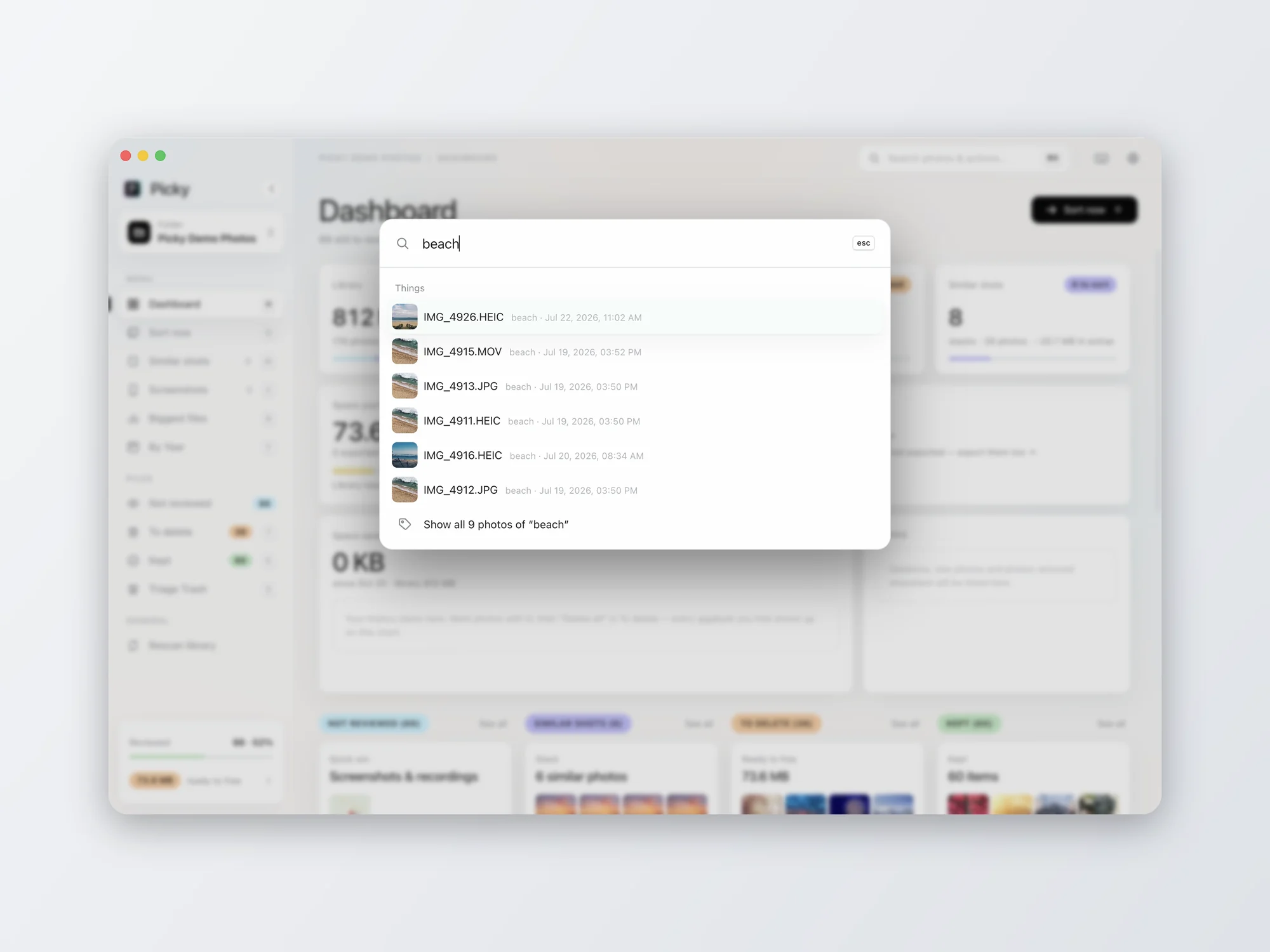
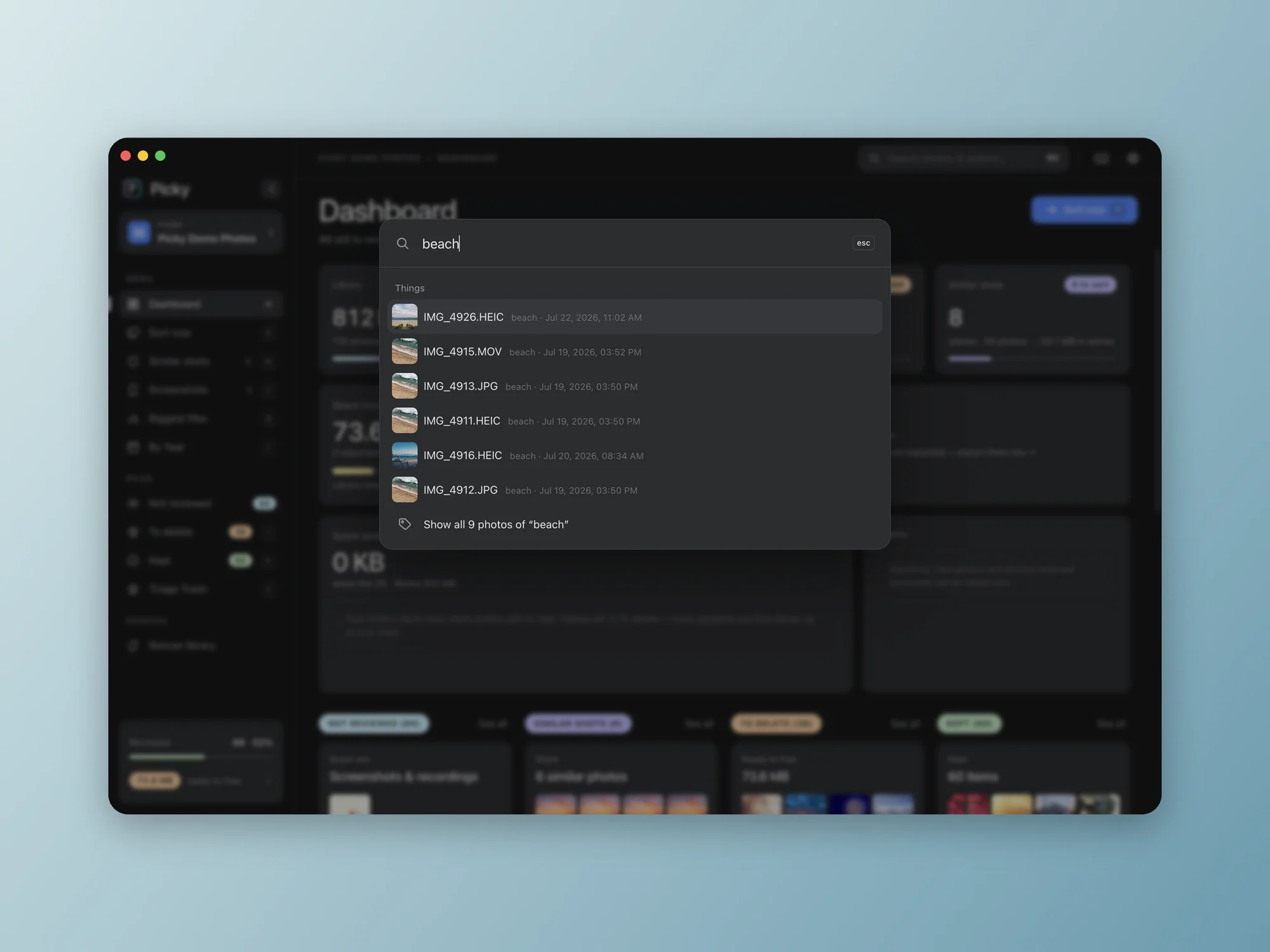
Search for things like “beach” or “dog”: Apple’s on-device image recognition, so nothing leaves the Mac.
• Product design
Built for
the keyboard.
Every view shares the same few keys, so sorting settles into a rhythm. Decisions are saved as you go and every one can be undone; deletions wait in a To delete pile until you confirm.
Shown with a demo library of Unsplash photos. Toggle Light or Dark above to switch every screenshot.
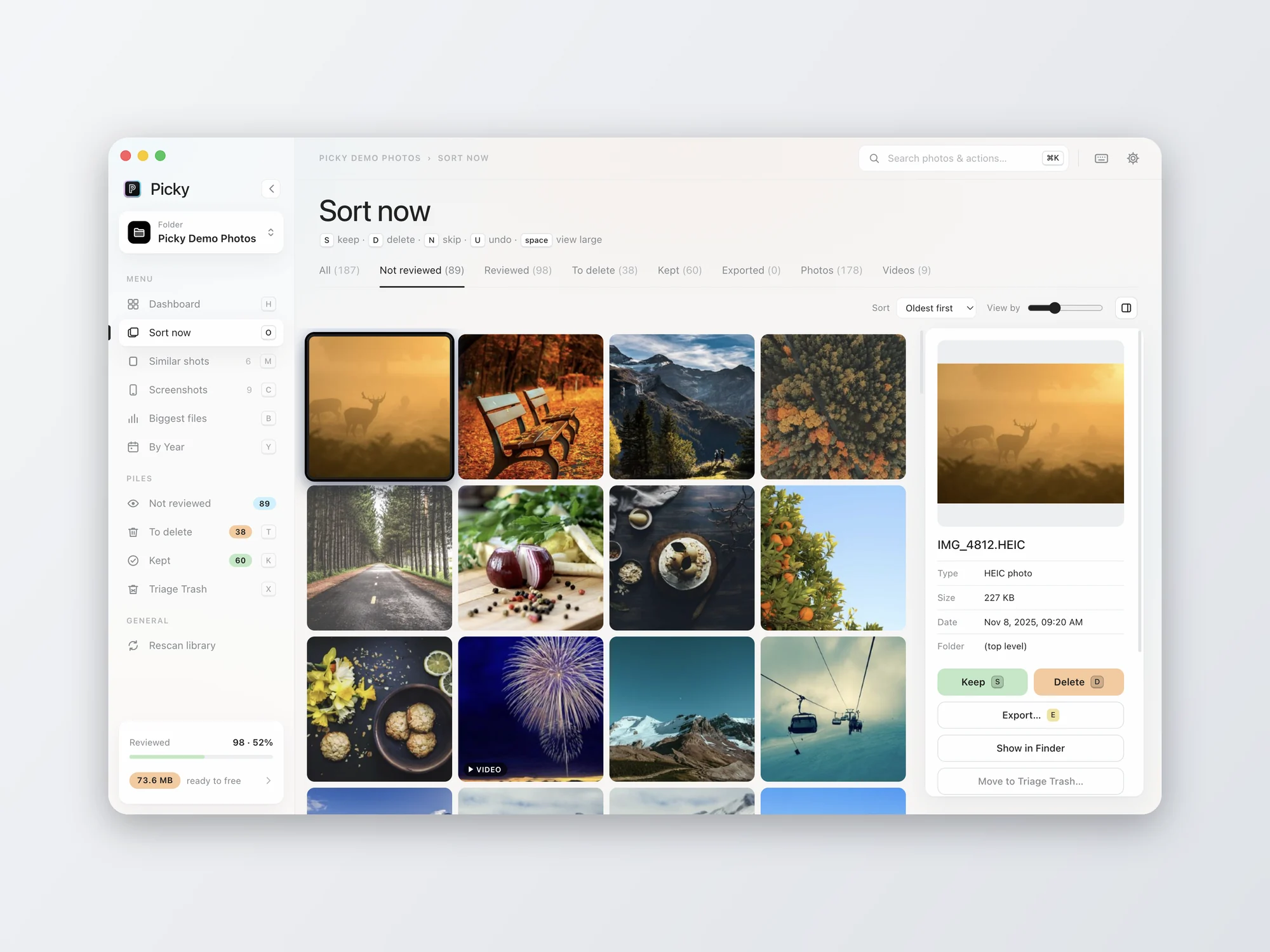
Sort now.
One grid, one keystroke per photo: S to keep, D to delete, N to skip, U to undo. Picky remembers where you stopped.
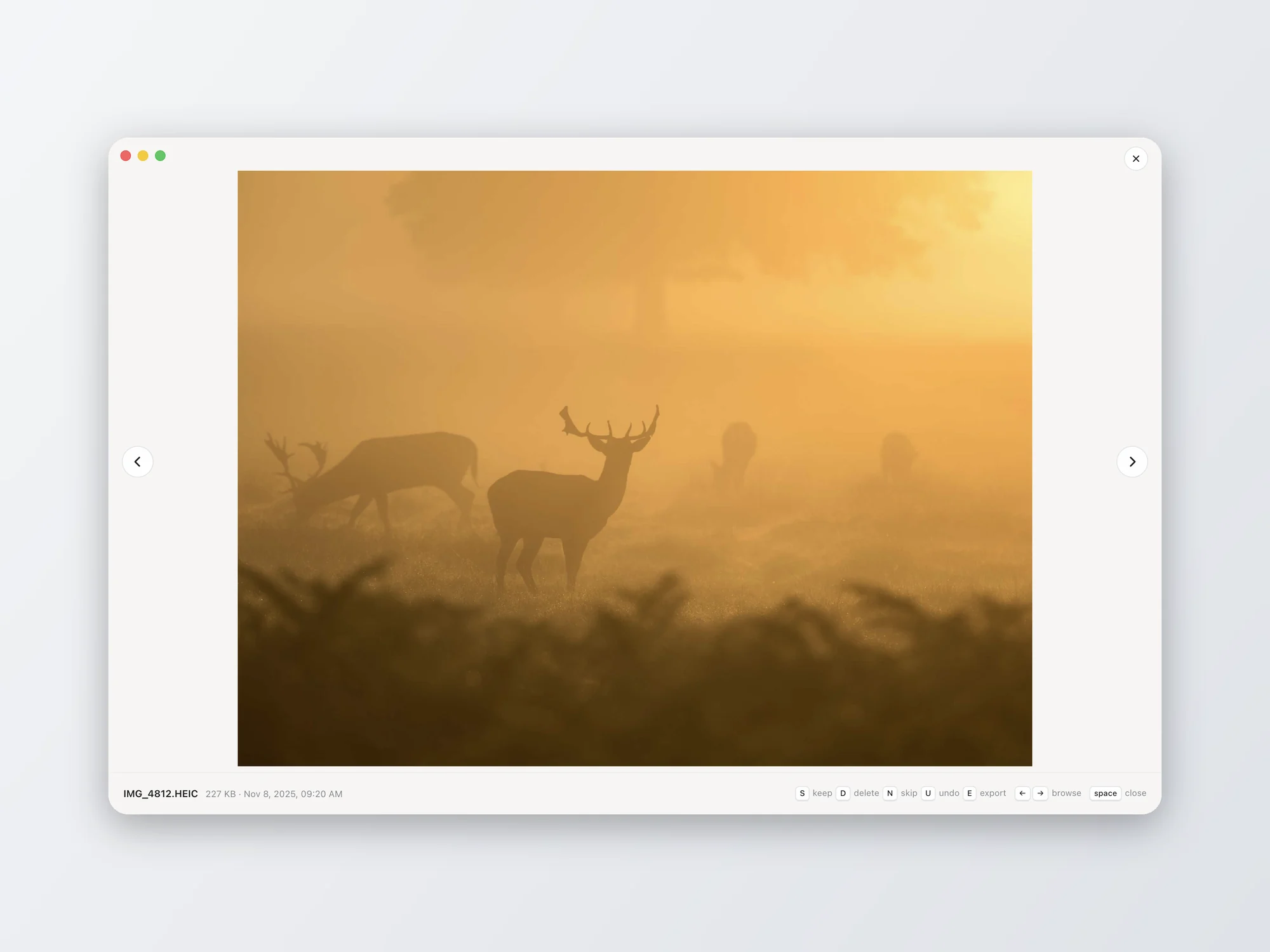
See it large.
Space opens the photo full size, with the same shortcuts along the bottom, so deciding never means leaving the keyboard.
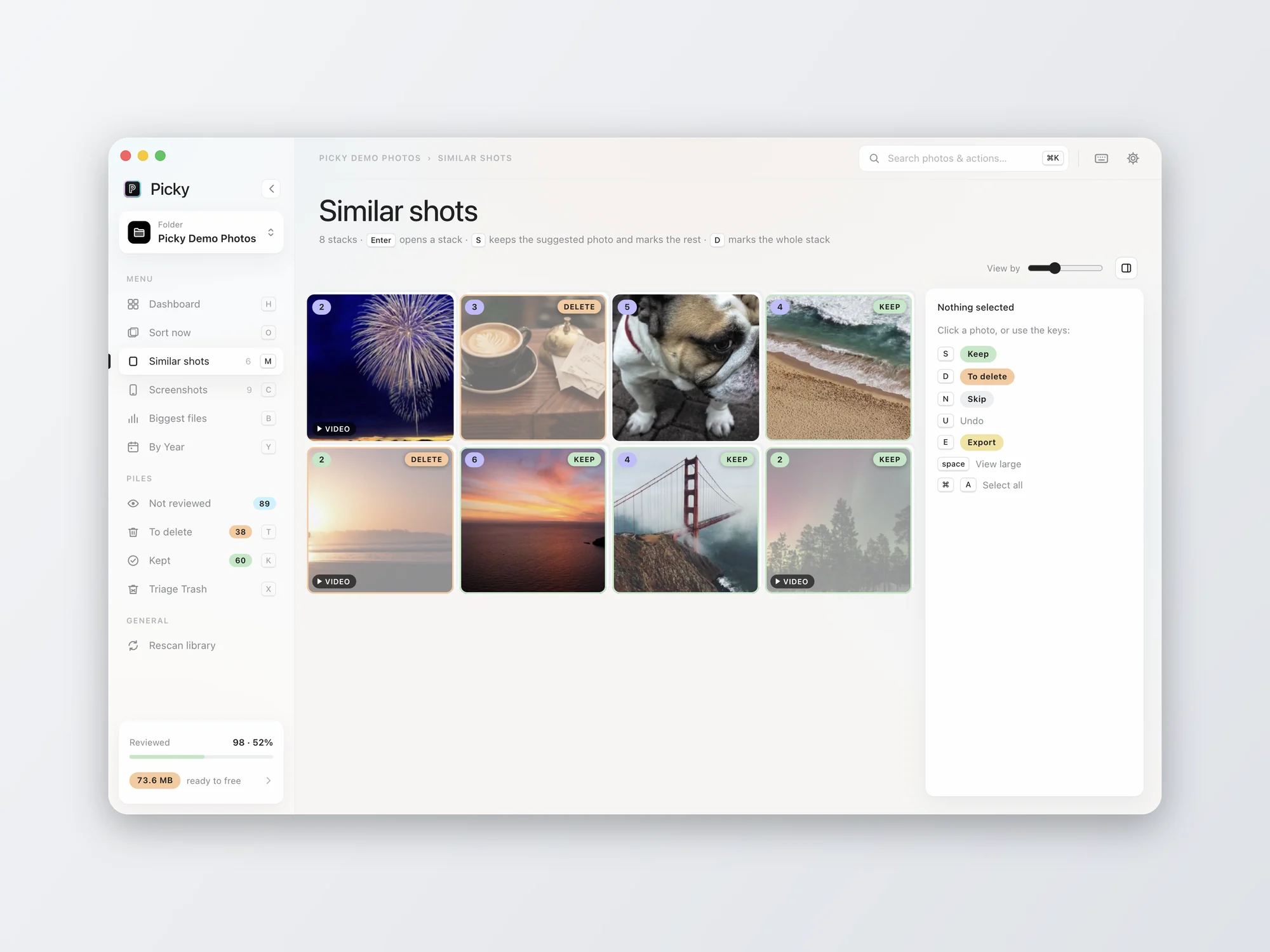
Similar shots.
Bursts and near-identical photos gather into stacks, each with a suggested best, so twelve sunsets become one decision.
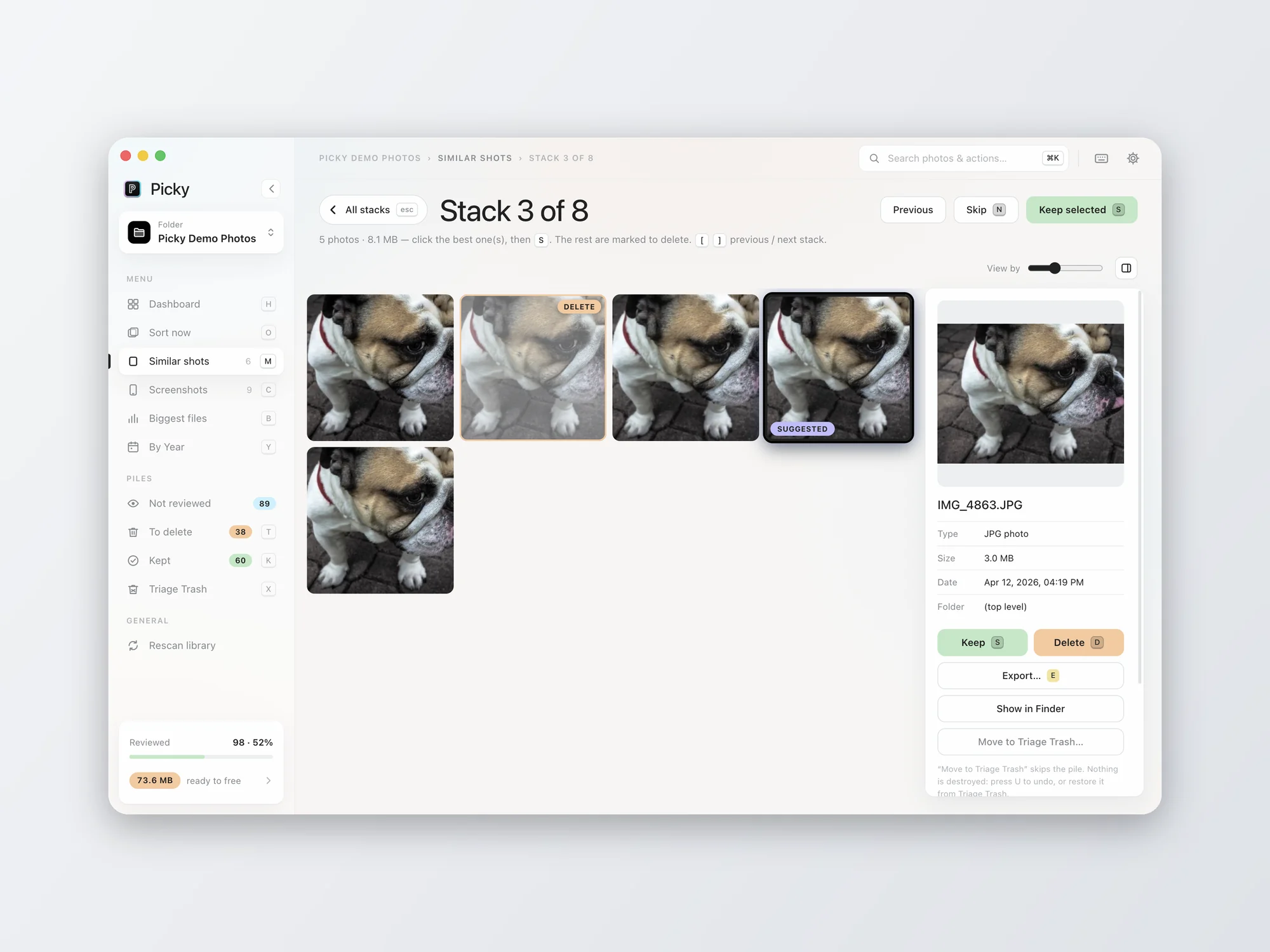
Pick the keeper.
Open a stack to compare every take side by side. Keep your favorite and Picky marks the rest.
Safety first
Your photos
stay yours.
On your Mac
No cloud, no uploads, no telemetry. Previews and similar-shot detection use only what is already on the Mac.
Nothing by surprise
Nothing is deleted until you select it, choose Delete, and confirm. Photos goes to Recently Deleted for 30 days.
Undo, always
Press U to step back through any decision. Folder deletions wait in a Triage Trash you can restore from.
Export first
Copy a whole year to a drive before you clear it out. Exports only ever write copies, never replace a file.